Available now — Version 2026

Your entire IT infrastructure.
One dashboard. Full control.

OPNsense, Proxmox, Linux and Windows — DATAZONE Control unifies all modules in a single platform. For MSPs and IT teams who want to stay in control.
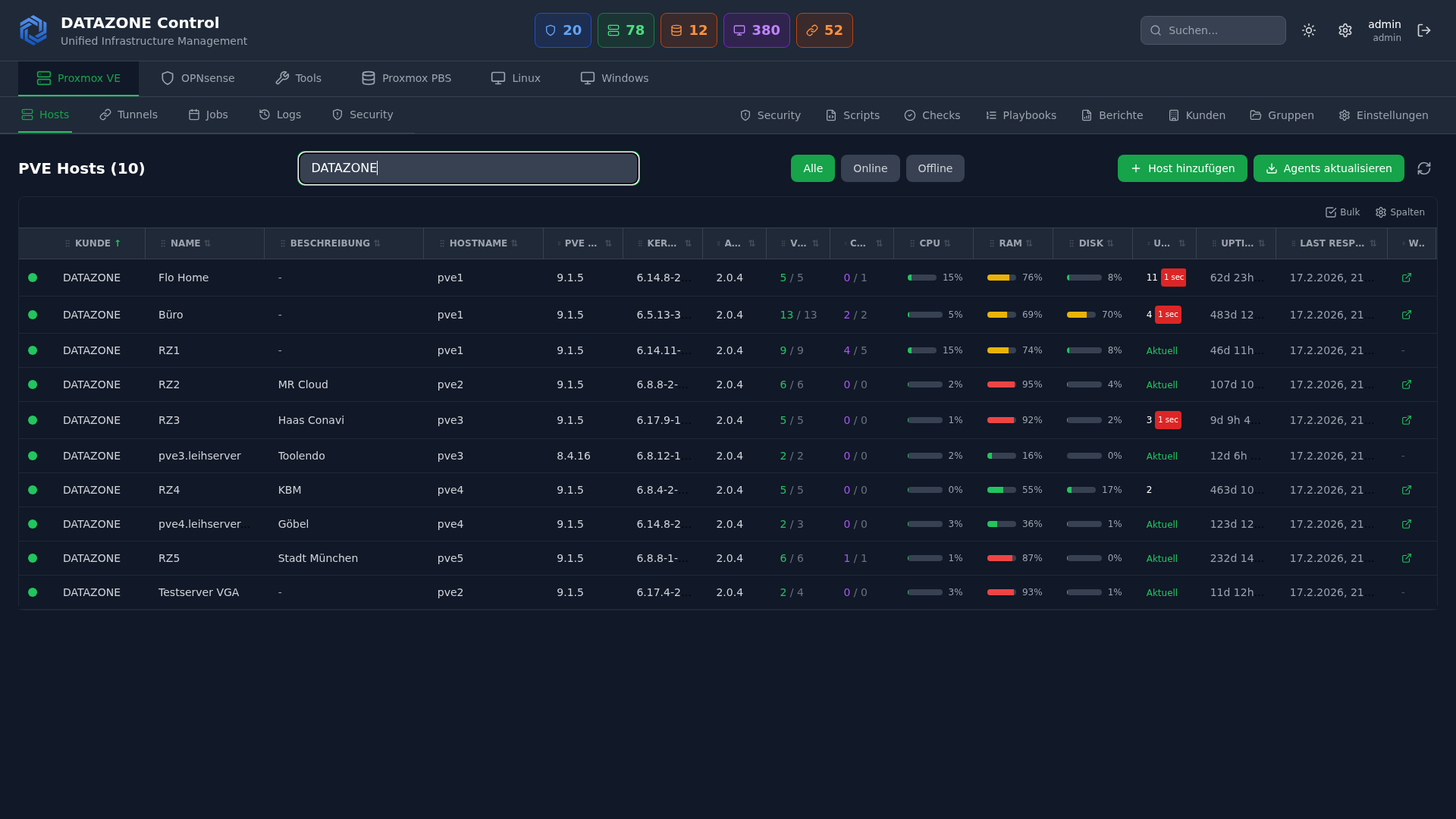
DATAZONE Control — Proxmox VE
DATAZONE Control Dashboard – Mehrere Proxmox VE Cluster zentral verwalten mit VM-Übersicht, Storage und Node-Monitoring
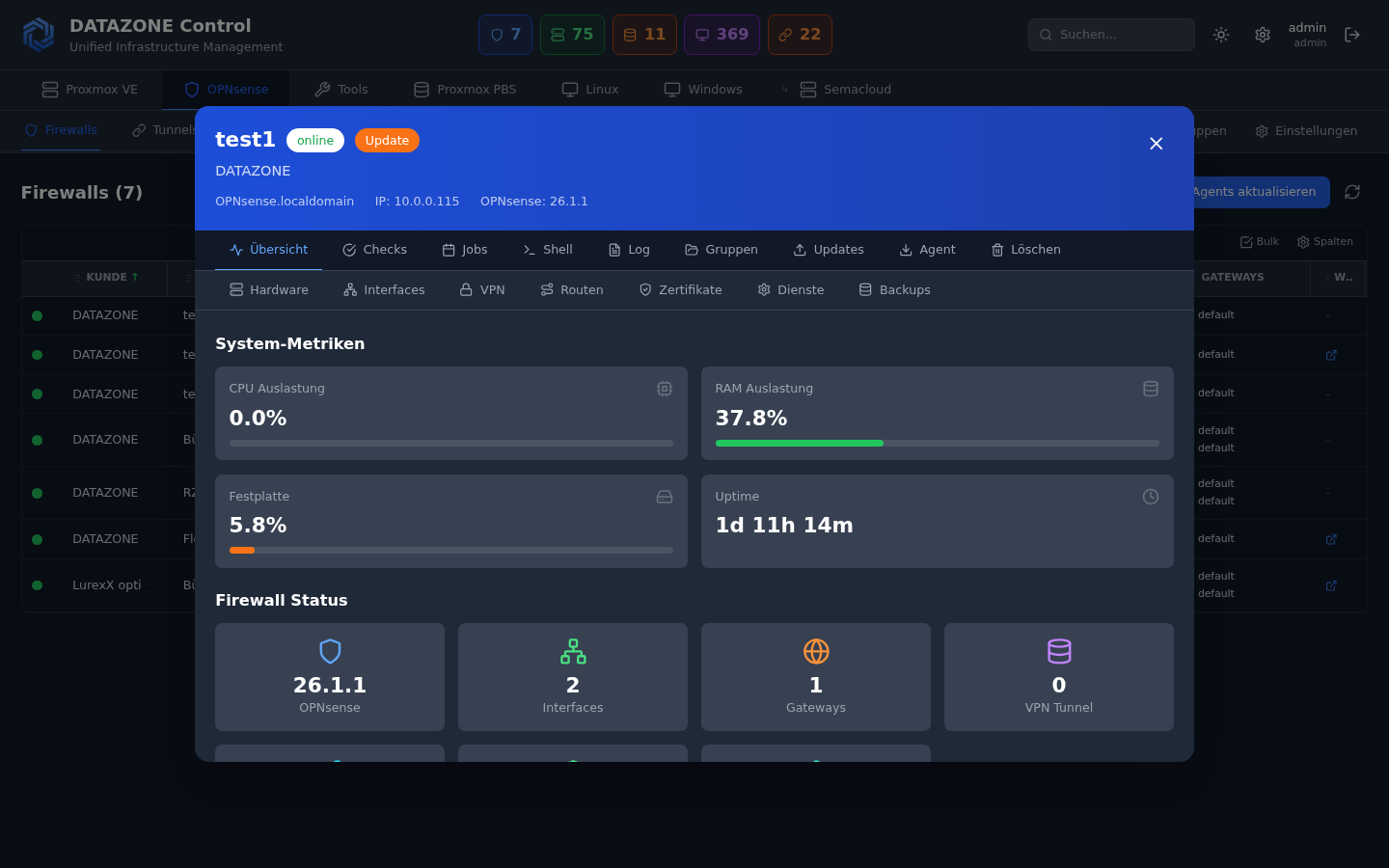
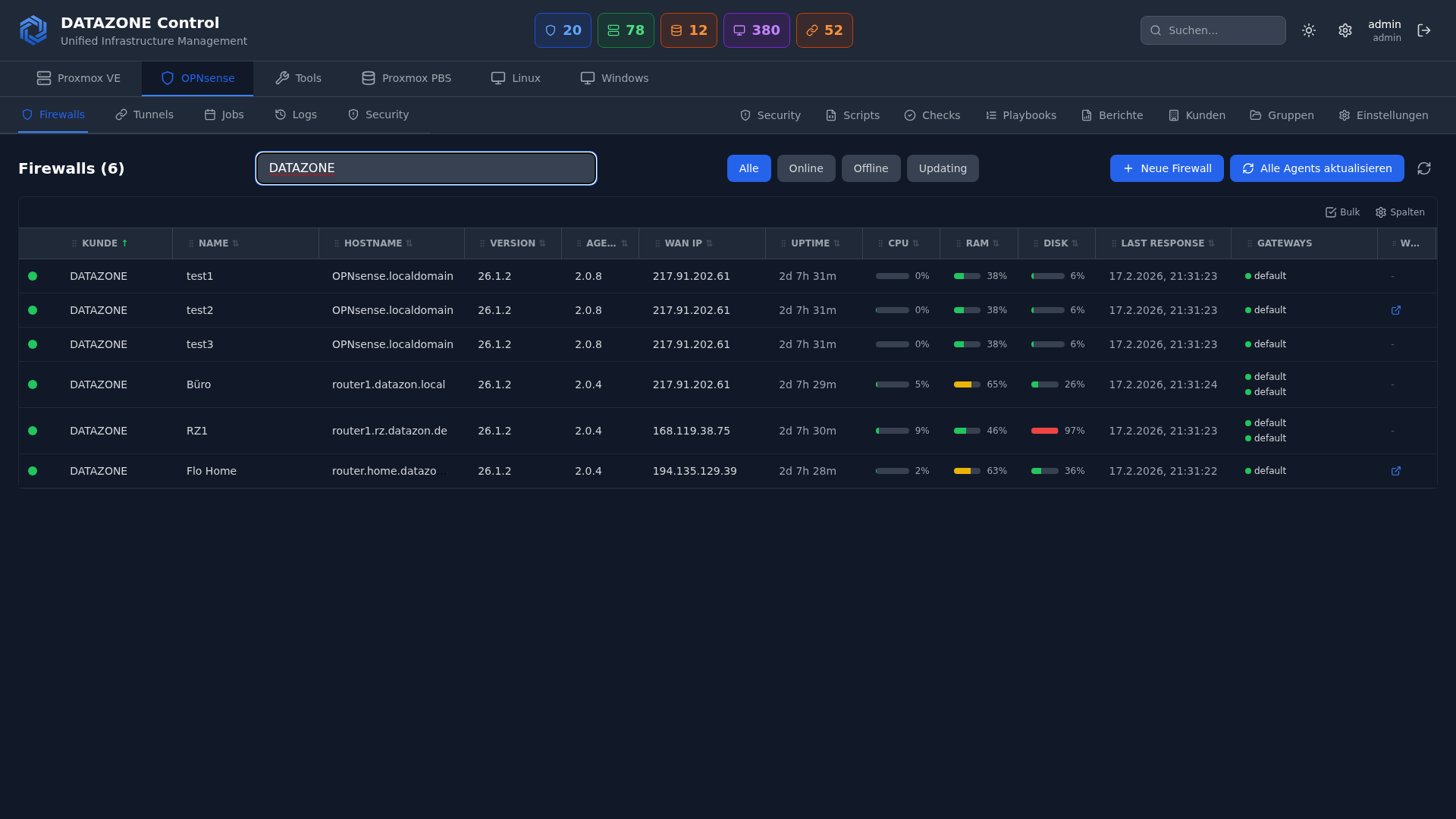
DATAZONE Control Dashboard – Mehrere OPNsense Firewalls zentral verwalten mit Gateway-Status und VPN-Monitoring
DATAZONE Control Dashboard – OPNsense Firewall zentral verwalten mit VPN-Status, Gateway-Monitoring und Firmware-Updates
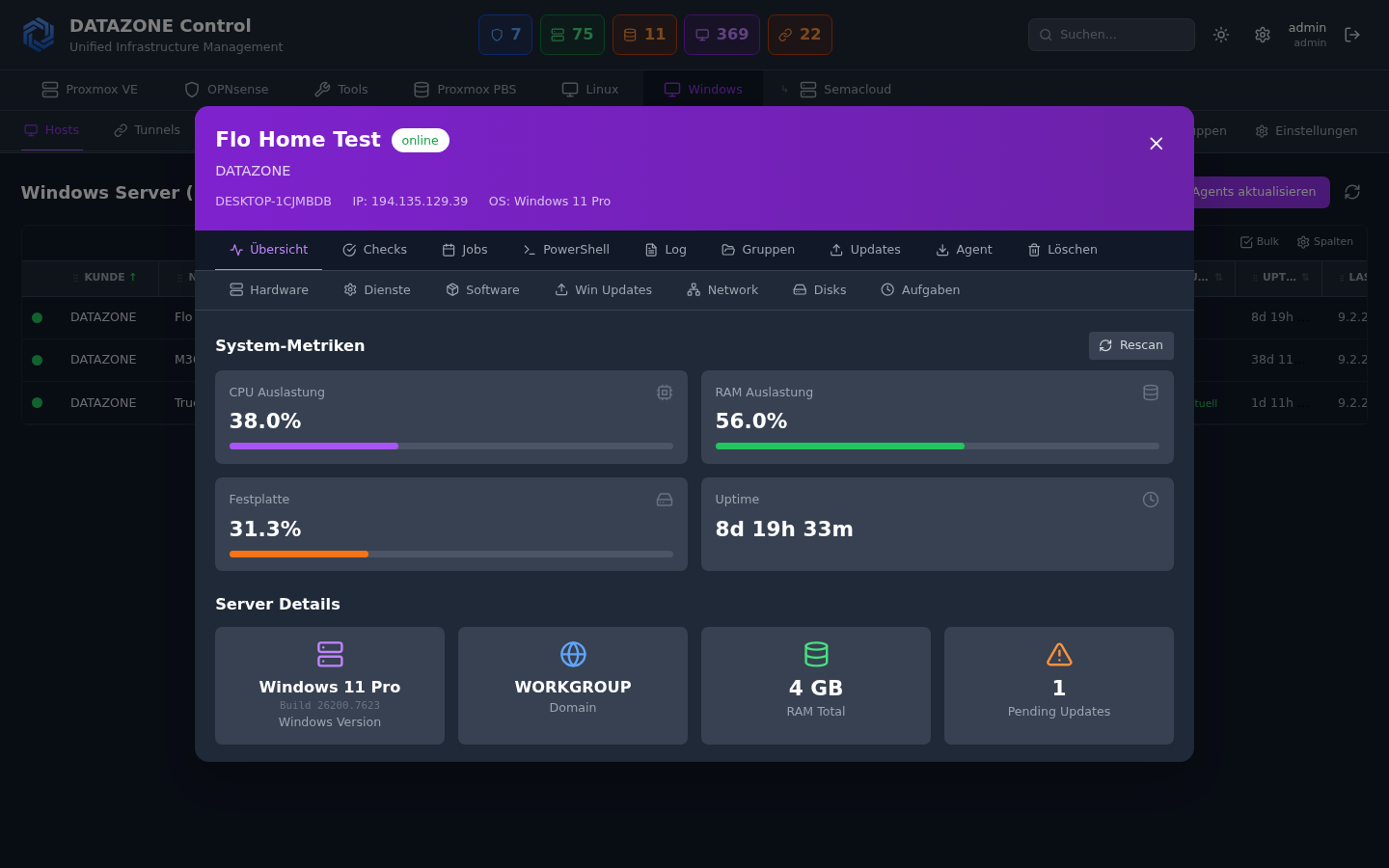
DATAZONE Control Dashboard – Windows Server verwalten mit Patch-Policies, Winget und Dienste-Übersicht als WSUS-Alternative
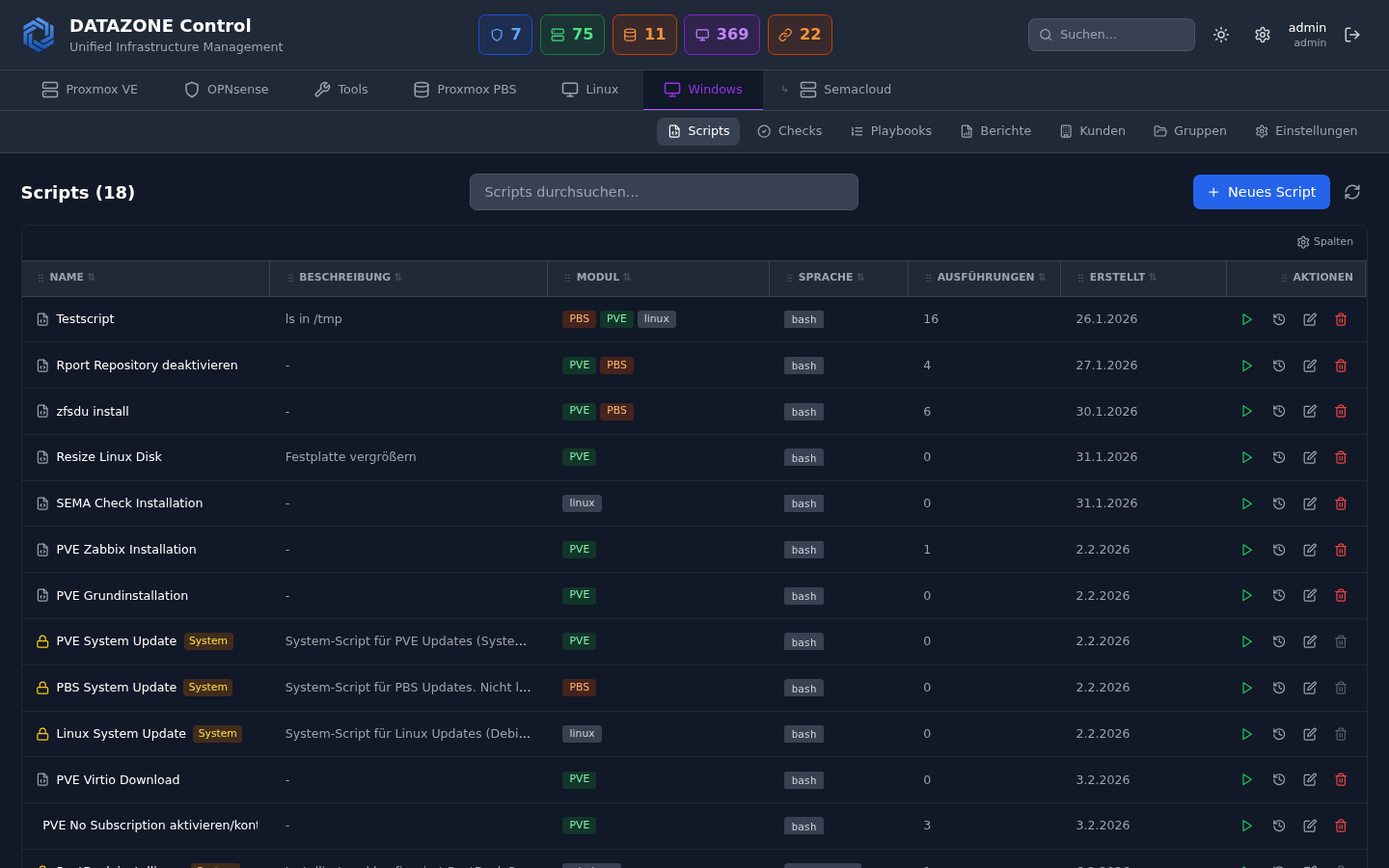
DATAZONE Control – Scripts und Playbooks für automatisierte Server-Verwaltung auf Linux und Windows
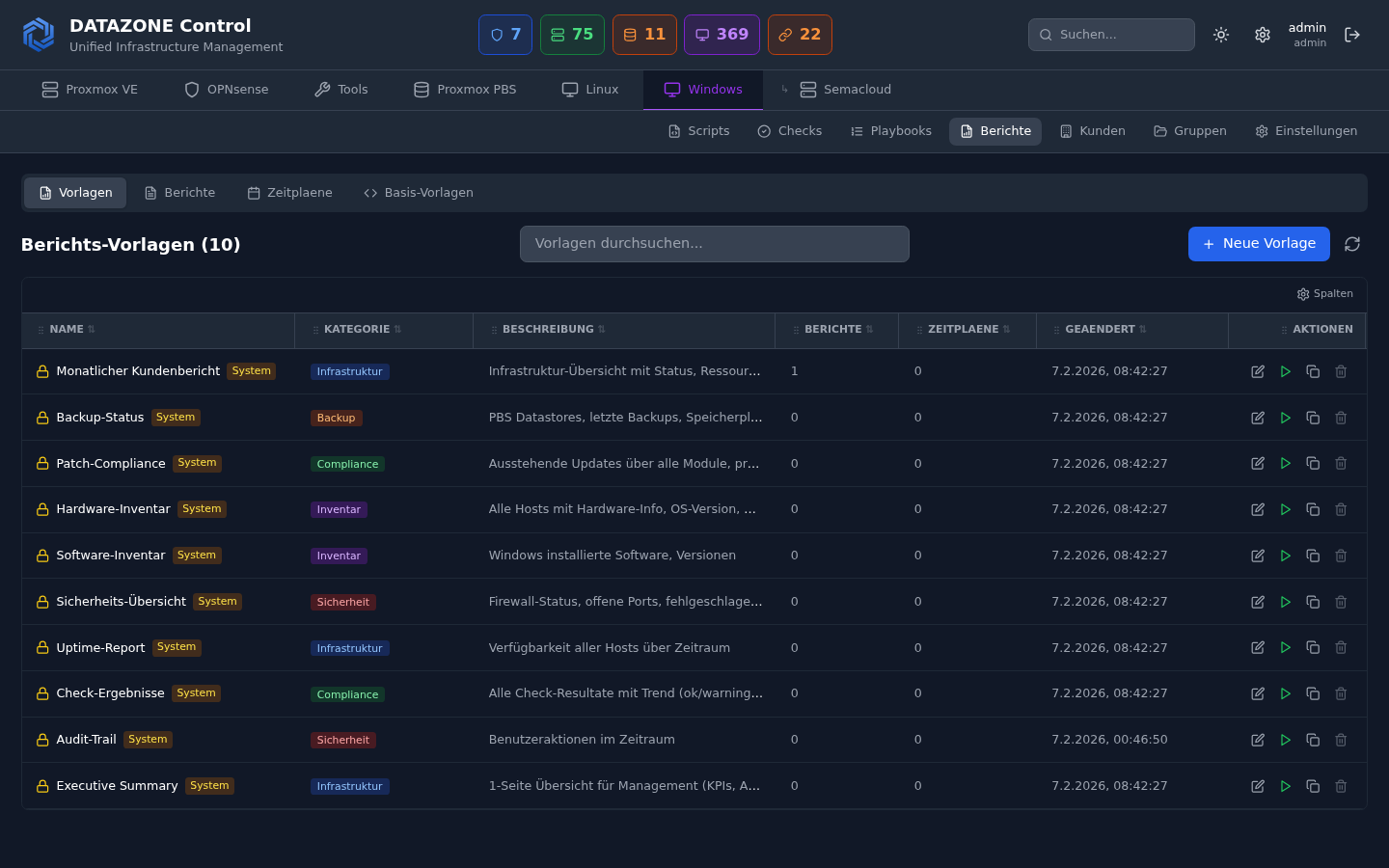
DATAZONE Control – Security Reports mit Wazuh SIEM Alerts und SCA Compliance-Übersicht für MSPs
Compatible with
OPNsense Proxmox VE Proxmox PBS Linux Windows Docker Wazuh
5 Modules | 1 Platform | Full Control
Modules

Five Modules. One Platform.

Whether firewall, hypervisor, or server — DATAZONE Control speaks the language of your infrastructure.

🛡️

OPNsense Firewalls

Firmware updates, VPN status, gateway monitoring, and automatic configuration backups — centrally managed.

VPN Monitoring Gateway Status Config Backup
Learn more →
🖥️

Proxmox VE

VM and container management, cluster overview, storage monitoring, and automated updates.

VM Management Cluster Storage
Learn more →
💾

Proxmox Backup Server

Datastore overview, backup monitoring, garbage collection, and verify jobs — full backup control.

Datastores GC Jobs Verify
Learn more →
🐧

Linux Servers

Cross-distribution: Docker, package updates, service monitoring, SSH sessions, and open ports.

Docker apt / dnf / zypper systemd
Learn more →
🪟

Windows Servers

Windows Updates with patch policies, software via Winget, service management, and Remote Desktop.

WSUS-free Winget Patch Policies
Learn more →
Features

Everything you need for professional IT management

🔒

Secure Tunnels

Encrypted WebSocket tunnels to SSH, RDP, VNC, and HTTP — without any VPN configuration.

📈

Real-Time Monitoring

Live status of all hosts: CPU, RAM, disk, uptime, agent heartbeats, and network.

Health Checks

Custom checks with scripts, automatic remediation, and configurable grace periods.

📅

Update Schedules

Automated schedules for all modules — daily, weekly, monthly, or via cron expression.

⚙️

Scripts & Playbooks

Execute scripts on demand or use multi-step playbooks for complex workflows.

🚀

Patch Management

Windows patch policies with approval workflow. Centrally update Linux packages.

💻

Shell / Terminal

Direct shell access via secure tunnels. SSH and PowerShell without VPN.

🛡️

Wazuh SIEM

Security alerts, SCA compliance scores, and threat detection in the dashboard.

🤖

AI Integration (MCP)

Claude AI can query and manage your infrastructure using natural language.

Get started

How DATAZONE Control works

No complex setup. No lengthy onboarding. Ready in three steps.

1

Install Agent

Lightweight agent on every system. One command, done.

< 2 minutes
2

Connect Systems

All hosts appear automatically in the dashboard. Group by customer or location.

automatic
3

Manage Centrally

Monitoring, updates, security, and automation — all from one place.

full control
Advantages

Why DATAZONE Control?

🔒

No VPN needed

WebSocket tunnels replace complex VPN setups. Agents connect outbound — no incoming ports.

👥

Multi-Tenant / MSP-Ready

Customer management, host groups, and role-based access control for IT service providers.

🌐

Cross-vendor

OPNsense, Proxmox, Linux, and Windows in one platform. One interface for everything.

🇩🇪

Made in Germany / GDPR

Developed and hosted in Germany. All data stays in Germany.

🤖

AI-Ready — Claude AI Integration

First platform with native MCP interface for Claude AI. Query your infrastructure using natural language and get instant answers and actions.

Frequently asked questions

FAQ

What is DATAZONE Control? +
DATAZONE Control is a centralized management platform for IT infrastructure. It enables management of OPNsense firewalls, Proxmox VE, Proxmox Backup Server, Linux servers, and Windows servers through a single web interface.
Who is DATAZONE Control for? +
DATAZONE Control is primarily designed for Managed Service Providers (MSPs), IT service providers, and IT departments that need to centrally manage heterogeneous IT infrastructures.
Which systems are supported? +
Five modules: OPNsense firewalls, Proxmox VE (hypervisor), Proxmox Backup Server, Linux servers (Debian, Ubuntu, RHEL, SUSE, etc.), and Windows servers.
Do I need a VPN for remote access? +
No. DATAZONE Control provides secure tunnels via encrypted WebSocket connections. You can forward SSH, RDP, VNC, and HTTP ports — without any VPN configuration.
Is DATAZONE Control GDPR compliant? +
Yes. DATAZONE Control is developed and hosted in Germany by DATAZONE. All data remains in Germany and the platform fully complies with GDPR requirements.
Is there an AI integration? +
Yes. Through the MCP interface (Model Context Protocol), Claude AI can query and manage your infrastructure — check server status, analyze alerts, or trigger updates and reboots.
Is DATAZONE Control multi-tenant capable? +
Yes. The platform offers customer management with roles and permissions (Admin, Ops, Viewer), so MSPs can manage multiple customers separately from a single dashboard.
How is DATAZONE Control installed? +
A lightweight agent is installed on each system — it takes under 2 minutes. The agent automatically connects to the platform via a secure WebSocket connection.
Can I manage multiple OPNsense firewalls at once? +
Yes. The OPNsense module allows centralized management of any number of OPNsense installations. Firmware updates, VPN tunnels, gateway status, HAProxy, and config backups for all firewalls in one dashboard — ideal for MSPs with many customer sites.
Is DATAZONE Control a WSUS alternative? +
Yes. The Windows module replaces WSUS with modern patch management using patch policies. Define approval workflows (Approved, Denied, Manual) per update and manage Windows Updates centrally for all servers — no WSUS server required.
How do I manage multiple Proxmox clusters centrally? +
The Proxmox VE module displays all clusters, nodes, VMs, and containers in a single dashboard. View storage utilization, update status, and monitor backups and snapshots across all clusters. Complemented by the PBS module for backup monitoring.

Ready to take control of your IT infrastructure?

Try DATAZONE Control and experience how easy professional IT management can be.